- Published on
- · 7 min read
Three Dots, Two Dots, and the Diff You Actually Wanted
- Authors
-
-

- Name
- Abdul Rauf
- @armujahid
-
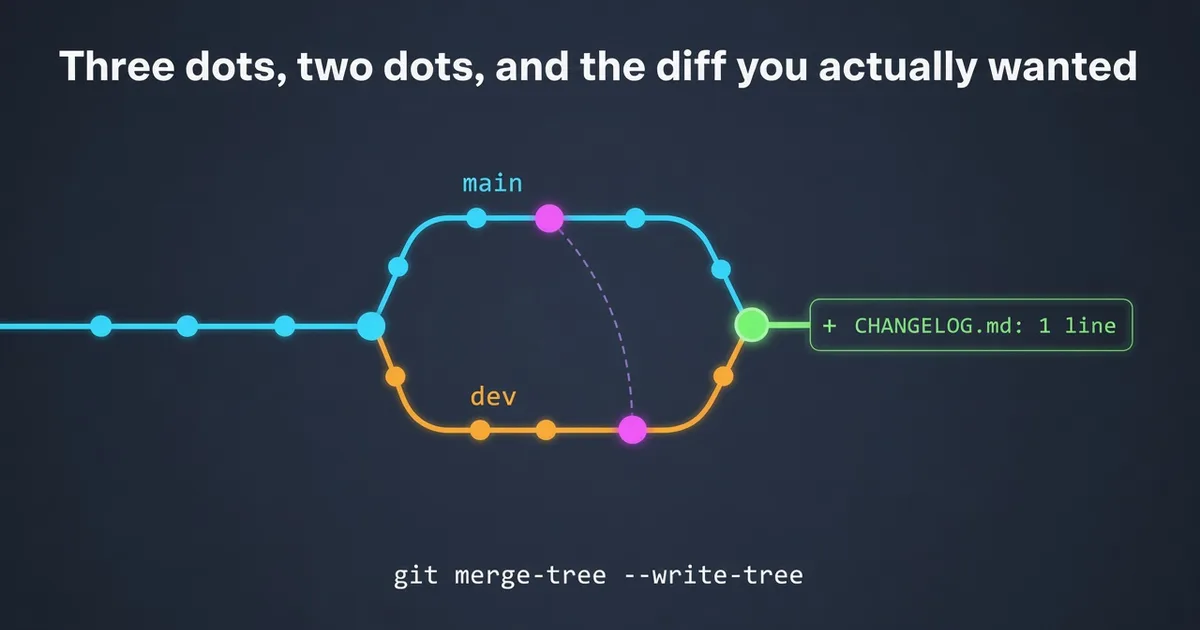
You open the routine main → dev backmerge after a hotfix. The PR lists the fix’s source file and its test as changed. But that fix was made on dev in the first place and cherry-picked to main. So did dev lose it somehow? Or will this PR apply it twice?
Neither. Two git commands later, it turns out the only real change is one changelog line.
The PR page isn’t wrong. It’s answering a different question from the one you’re asking.
The setup
This is a common shape for teams with a long-lived integration branch (dev) and a release branch (main). The fix goes into dev first, gets cherry-picked to main for release, and then main is merged back into dev:
            H' ── C             main   (H' = cherry-pick of H, C = changelog line)
           /
  ── ─ R ─┤
           \
            D ── H ── E         dev    (H = the hotfix, made on dev)
Ris the merge base, usually the last release merge.HandH'contain the same patch but have different SHAs, because a cherry-pick creates a new commit.
Your branches might be called master, develop or staging instead. The names don’t matter; the shape does.
Four ways to compare the branches
Before going through each one, here they are side by side, using the graph above:
| Comparison | Command | Compares | Question it answers | The cherry-picked fix |
|---|---|---|---|---|
| Two-dot | git diff dev..main | Tip of dev against tip of main | How do the two branches differ right now? | Hidden, but dev-only work shows as deletions |
| Three-dot | git diff dev...main | Merge base R against tip of main | What changed on main since they forked? | Shown as changed (the PR page default) |
| Merge result | git diff dev $(git merge-tree --write-tree dev main) | Tip of dev against the merged tree | What will merging change on dev? | Not shown, because dev already has it |
| Patch-aware log | git cherry -v dev main | main’s commits against dev, by patch | Which commits are actually new? | Marked -, meaning already on dev |
With git diff, dev..main is the same as dev main. The dots mean something different in git log, where dev..main lists commits on main that aren’t on dev, which is another reason they trip people up.
What the PR page shows: the three-dot diff
GitHub, Azure DevOps and Bitbucket Cloud show the diff between merge-base(dev, main) and main. That’s the three-dot diff:
$ git diff --stat dev...main
 CHANGELOG.md              |  3 +++
 src/auth/session.ts       |  4 ++--
 test/auth/session.test.ts | 18 ++++++++++++++++++
 3 files changed, 23 insertions(+), 2 deletions(-)
It compares main against R, so it has no idea that dev already has the same fix as H. From its point of view, the hotfix is new. It answers “what changed on main since the branches forked?”, which is a fair question, just not yours.
Why the two-dot diff isn’t the answer either
The obvious fix is a tip-to-tip diff, dev..main. That shows everything dev has that main doesn’t, as reverse changes. It’s noise in the other direction:
$ git diff --stat dev..main
 ...
 142 files changed, 910 insertions(+), 6204 deletions(-)
On GitHub you can only get it through the compare URL (/compare/dev..main). The PR page has no toggle for it.
The diff you actually want: the merge result
What a reviewer wants to know is: what does dev look like after I click merge? That’s the diff between the tip of dev and the result of the merge. Git can compute it without touching your checkout:
$ git diff --stat dev $(git merge-tree --write-tree dev main)
 CHANGELOG.md | 3 +++
 1 file changed, 3 insertions(+)
git merge-tree --write-tree (Git 2.38 or newer) performs the merge in memory and prints the resulting tree’s ID. It doesn’t touch your working tree or index. The three-way merge sees that dev already has the hotfix content, so it disappears from the result.
If the merge would conflict, merge-tree exits with status 1 and lists the conflicted files. That’s an answer too: someone needs to resolve conflicts before this backmerge goes anywhere.
Which commits are actually new
The merge-result diff tells you about content. To see which commits are new, ask git to compare by patch instead of by SHA:
$ git cherry -v dev main
- a1b2c3d fix(auth): correct refresh-token expiry
+ c3d4e5f docs(changelog): hotfix line

$ git log --oneline --no-merges --cherry-pick --right-only dev...main
c3d4e5f docs(changelog): hotfix line
In git cherry, - means an equivalent patch is already on dev and + means it’s genuinely new. Matching uses the patch-id, a hash of the change itself, which is why cherry-picks are recognised even with a different SHA.
One caveat: if the cherry-pick needed conflict resolution, its patch is different, so it gets a different patch-id and shows up as +. In that case, trust the merge-result diff.
If you’d rather review in a GUI
Any git client can show you the same thing if you do a trial merge and look at the staged changes:
git switch dev && git merge --no-commit --no-ff main
# staged changes = the merge result; review them in your usual client
git merge --abort
This needs a clean working tree. If yours isn’t clean, do it in a throwaway git worktree.
Make it a one-liner
git config --global alias.merge-preview \
  '!f() { t=$(git merge-tree --write-tree "$1" "$2") || { echo "conflicts:"; echo "$t"; return 1; }; git diff "$1" "$t"; }; f'

git merge-preview origin/dev origin/main
It prints the merge-result diff, or the conflict list if the merge won’t go through cleanly.
What the platforms do (as of November 2026)
| Platform | PR diff default | Merge-result view? |
|---|---|---|
| GitHub | Three-dot | No. Two-dot only through the compare URL |
| GitLab | Three-dot (“main (base)“) | Yes. “main (HEAD)” in the compare dropdown diffs against the merge ref |
| Bitbucket Cloud | Three-dot since June 2022 | It used to show the merge-commit diff, but dropped it for performance |
| Azure DevOps | Three-dot (branch compare is two-dot) | Not that I found |
There are good reasons three-dot is the default. It’s cheap to compute. It stays stable when the base branch moves, so review comments stay anchored to the right lines. A merge-result diff needs an actual merge, changes every time either branch moves, and has no answer at all when there are conflicts. For a feature branch, three-dot is usually exactly what you want. It’s backmerges, where both sides already share the same patches, that expose the gap.
”So the backmerge is empty. Close it?”
No, still merge it. The merge makes main’s commits, including the cherry-picked H', reachable from dev, which moves the merge base forward. Skip it, and the next dev → main release PR shows the cherry-picked fix all over again.
Use a real merge commit, not a squash. A squash copies content without reconciling history, so the same problem comes back next release.
Reviewer checklist
- The PR page diff answers “what changed on this branch since it forked”, not “what will merging do”.
- For backmerges, run
git merge-preview base head, or themerge-treeone-liner. - Run
git cherry -v base headto see which commits are genuinely new. - If only metadata is new (a changelog line, a version bump), approve it and merge with a merge commit.
Further reading
- GitHub: about comparing branches in pull requests
- GitLab: merge request diffs development guide
- GitLab issue: make merge-ref diffs the default
- Bitbucket: improving performance on complex diffs
- A Better Pull Request (archived copy)
- Azure DevOps: merge strategies and squash merge
git-merge-tree(1),git-cherry(1), andgit-log(1)(see--cherry-pick)